Gamma adjustment utility for PC
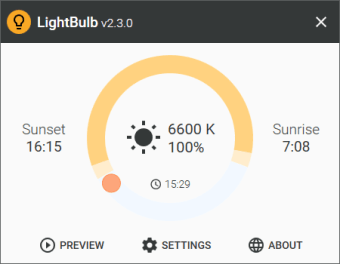
LightBulb is a free utility tool that was created by indie dev Alexey Golub for PC. This open-source software can be used to dynamically adjust gamma levels being displayed by monitors. It does so based on the time of day as it transitions from morning to afternoon, and night.
Top Recommended Alternative

LightBulb utilizes a similar concept F.lux or CareUEyes in that it attempts to reduce eye strain by changing the color temperature of computer monitors from the cool blueish shade to a warmer and more relaxing orange color. It's easy to set up and boasts a simple and intuitive user interface.
How does it compare to F.lux?
LightBulb is essentially a free and open-source alternative to the ever-popular blue light filter tool, F.lux. If you've used the latter before, the former will provide a familiar user experience. It works in a similar way in that it is able to adjust the gamma levels of your screen dynamically based on your geolocation and time of day. Once installed, you enable and configure it from your system tray.
Access LightBulb's configuration options, and it will provide you with three main sliders to you can use to adjust color temperatures for both daytime and nighttime. The third slider is for setting the duration at which one will transition to the other. You can even view a preview to see how this will transpire over a 24-hour period so you can tweak it to your preference.
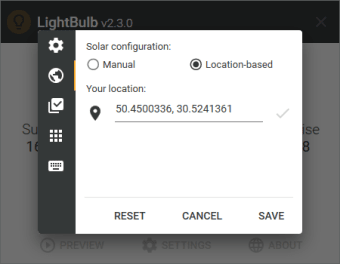
While the program will automatically detect your location and adjust gamma levels accordingly, you can still opt to manually set a location of your choice. Use global hotkeys to change settings on the fly and even whitelist certain applications that require color accuracy. One thing that needs more work, though, is more granular control over the color temperature adjustment slider—something that F.lux still does better.
A great alternative
All in all, if you're looking for a free and open-source alternative to F.lux, LightBulb might just fit the bill. It's fast and lightweight, offers virtually the same set of features and options, and is equally intuitive to use, as well. It doesn't offer as much control over color temp adjustments, but if you're okay with that, this is worth considering.